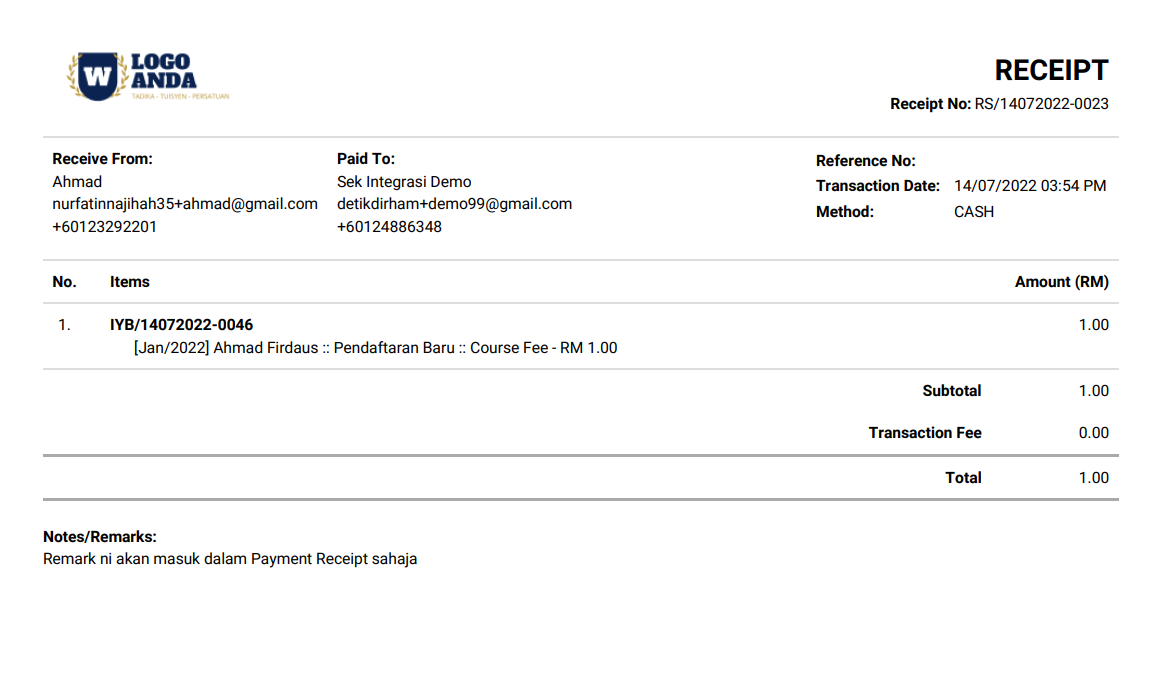

Perbezaan antara Remark yang terdapat dalam sistem Yuran.my
Remark Input
|
Remark Output | ||||
| Invoice receipt | Invoice Listing Report | Payment Listing Report | Payment Monthly Report | Payment receipt | |
| Remark field in New Invoice form |
√ |
√ |
|||
| Remark field in New Fee Item on New Invoice form |
√ |
√ |
|||
| Remark in Fee Type on Auto Generate Invoice form |
√ |
√ |
|||
| Remark in New Payment Invoice form |
√ |
||||
1. Remark field yang terdapat dalam New Invoice form
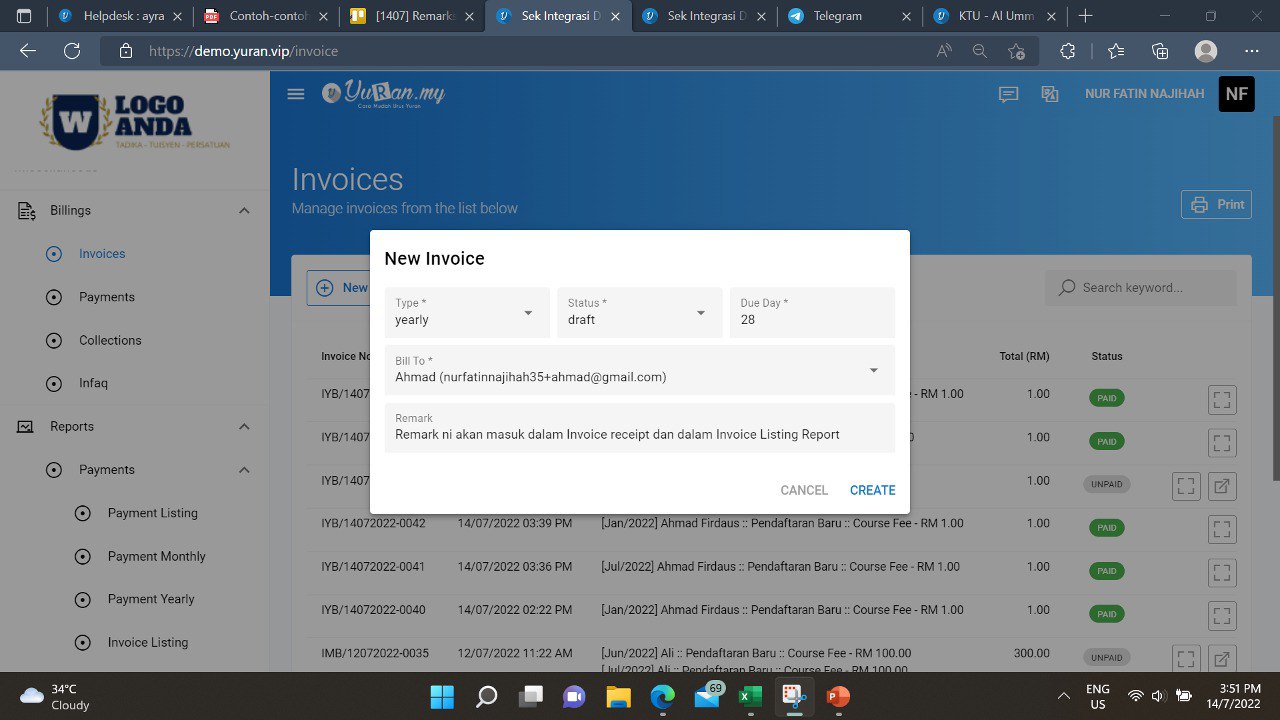
- Click Invoices menu, dan click New Invoice button.
- New Invoice form akan dipaparkan pada screen.
- Terdapat satu Remark fill.
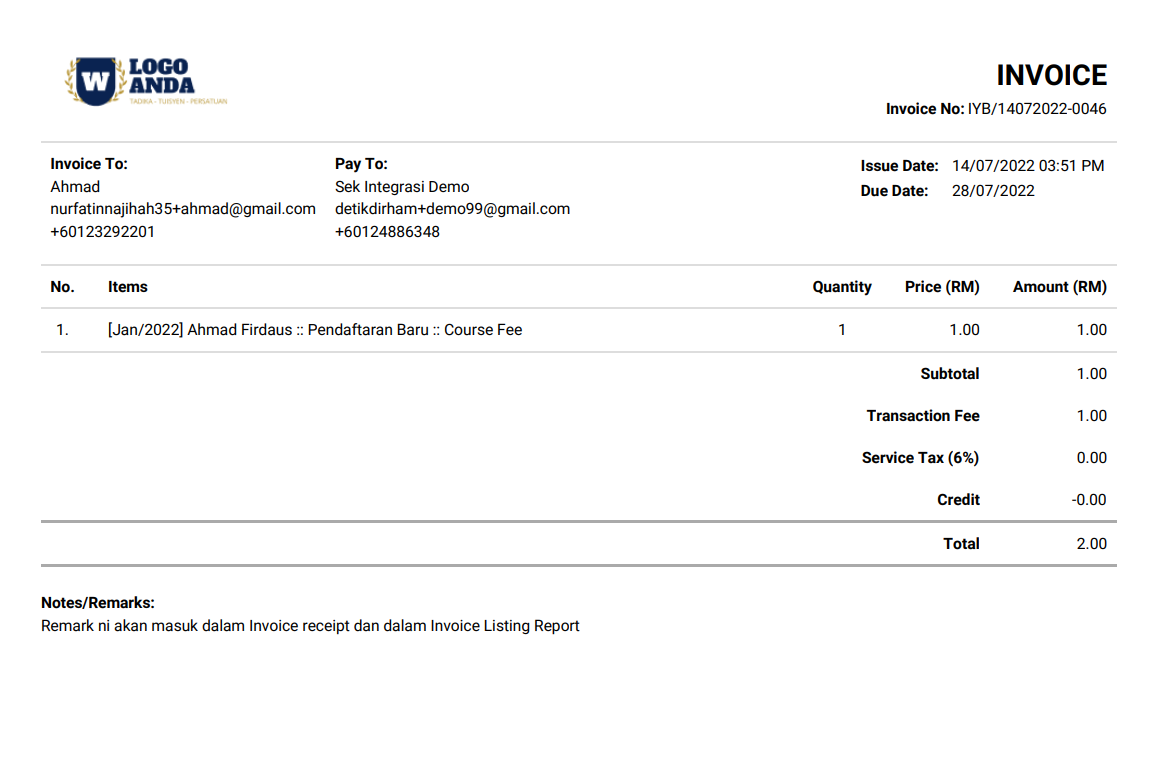
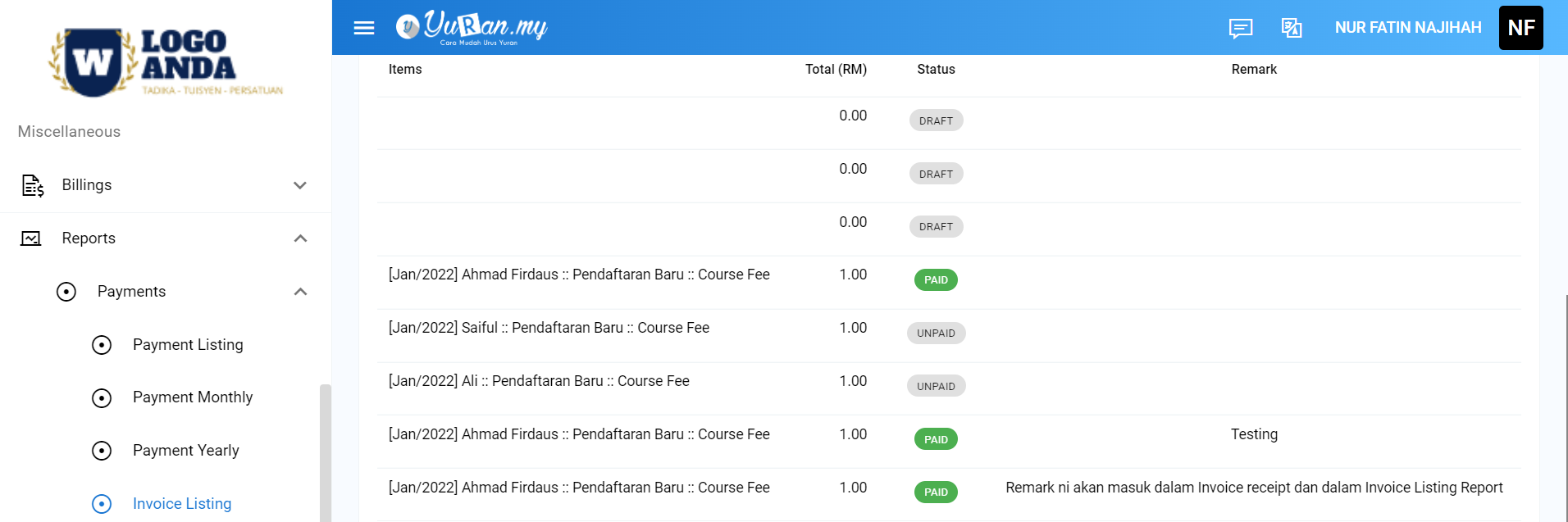
- Maklumat yang diisi pada Remark field tersebut akan dipaparkan dalam ruangan Remark pada Invoice receipt dan Invoice Listing Report.
Invoice receipt:
Invoice Listing Report:
2. Remark field yang terdapat dalam New Fee Item form
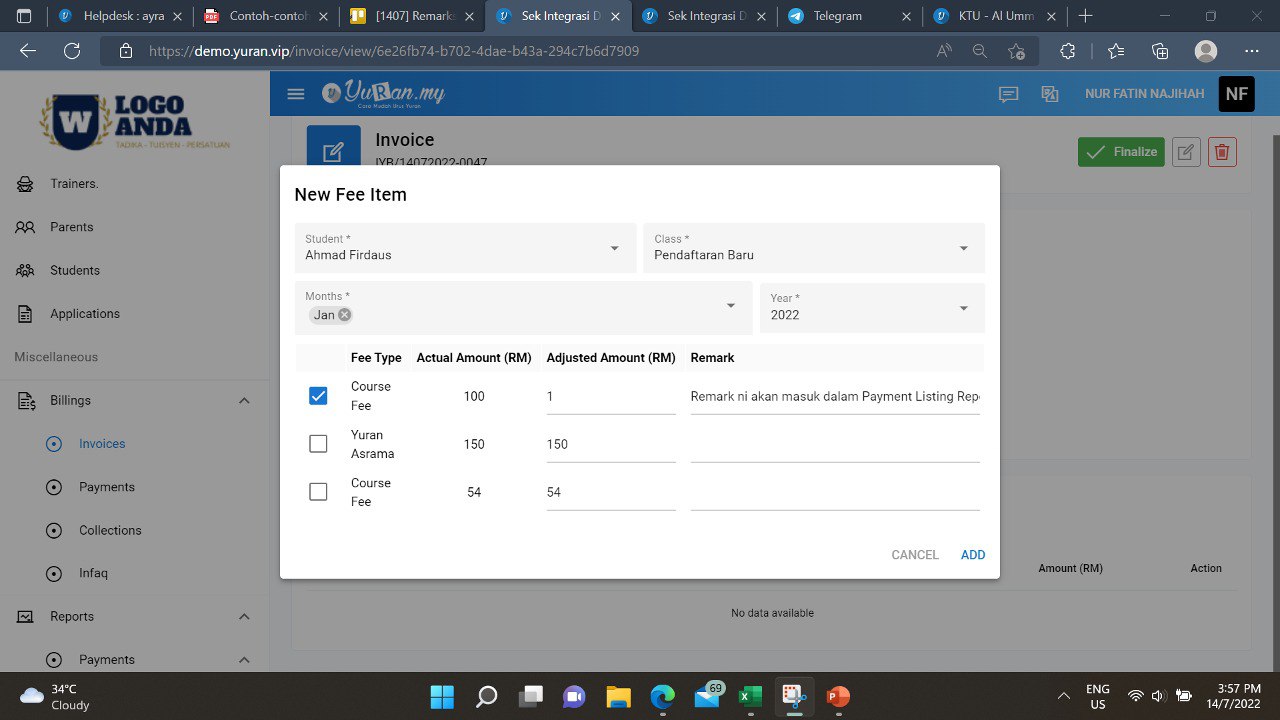
- New Fee Item form akan dipaparkan apabila user menjana invoice secara satu-satu dengan menekan butang New Invoice pada Invoices page.
- Terdapat satu Remark field yang terdapat dalam New Fee Item form.
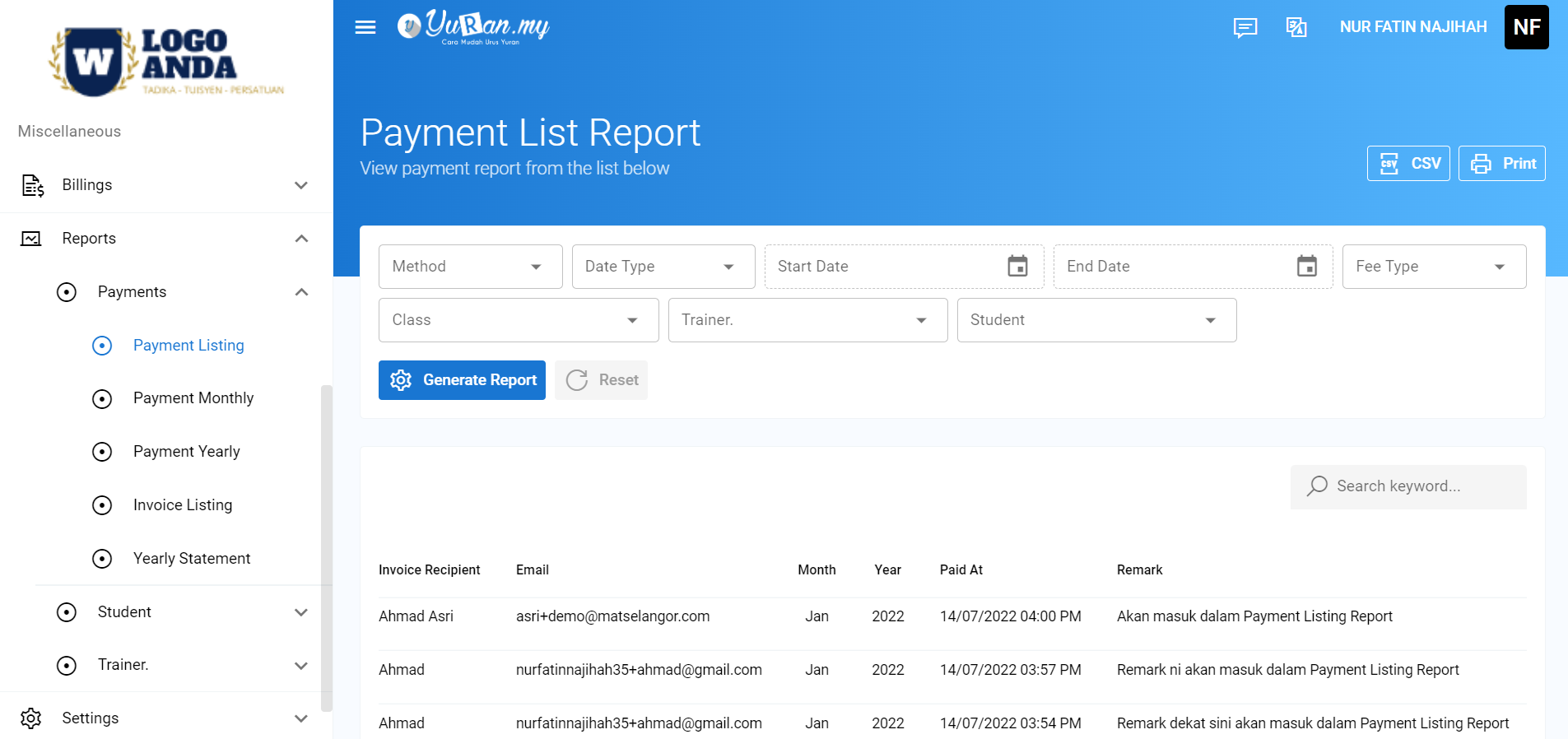
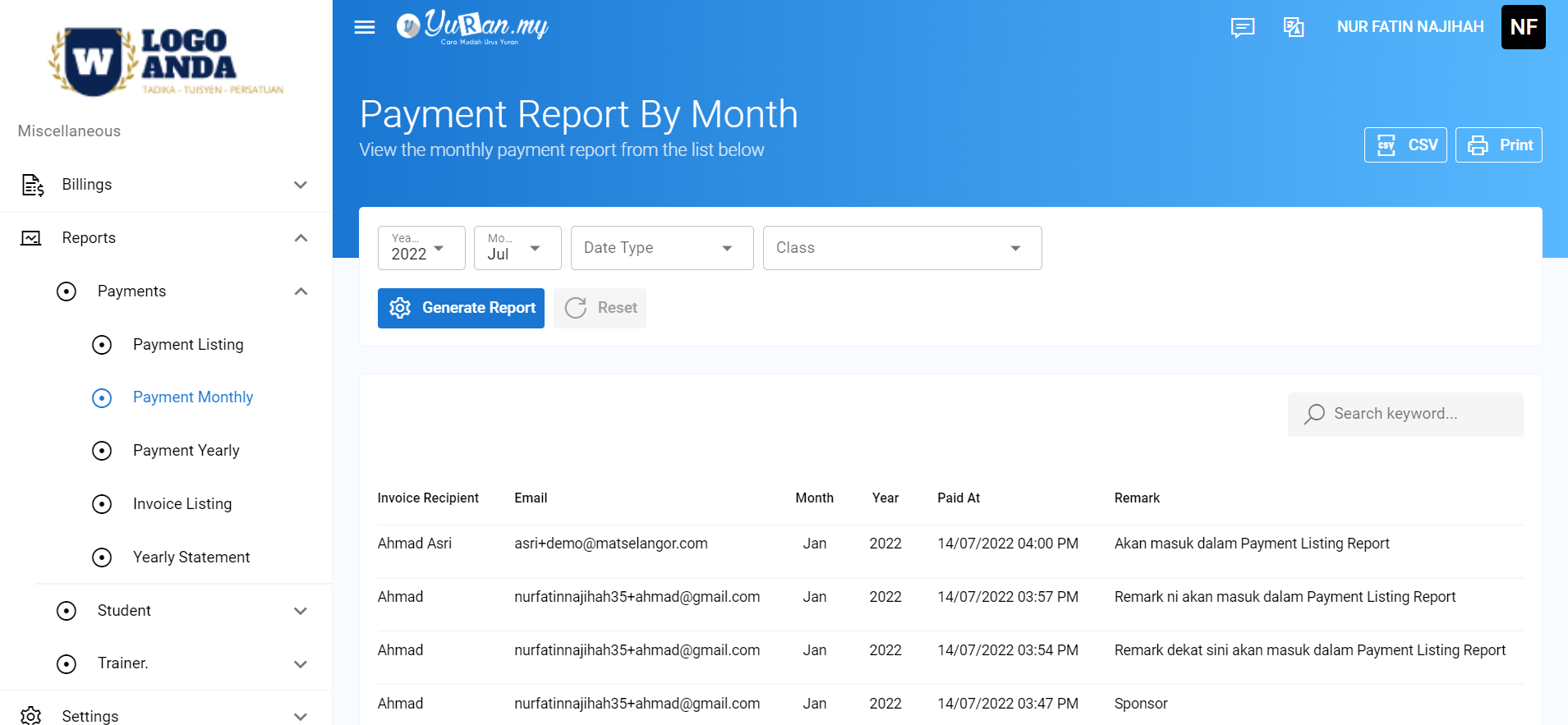
- Apabila user memasukkan maklumat atau data pada Remark field tersebut, data Remark itu akan dipaparkan pada bahagian Payment Listing Report dan Payment Monthly Report.
Payment Listing Report:
Payment Monthly Report:
3. Remark yang terdapat dalam Auto Generate Invoice form
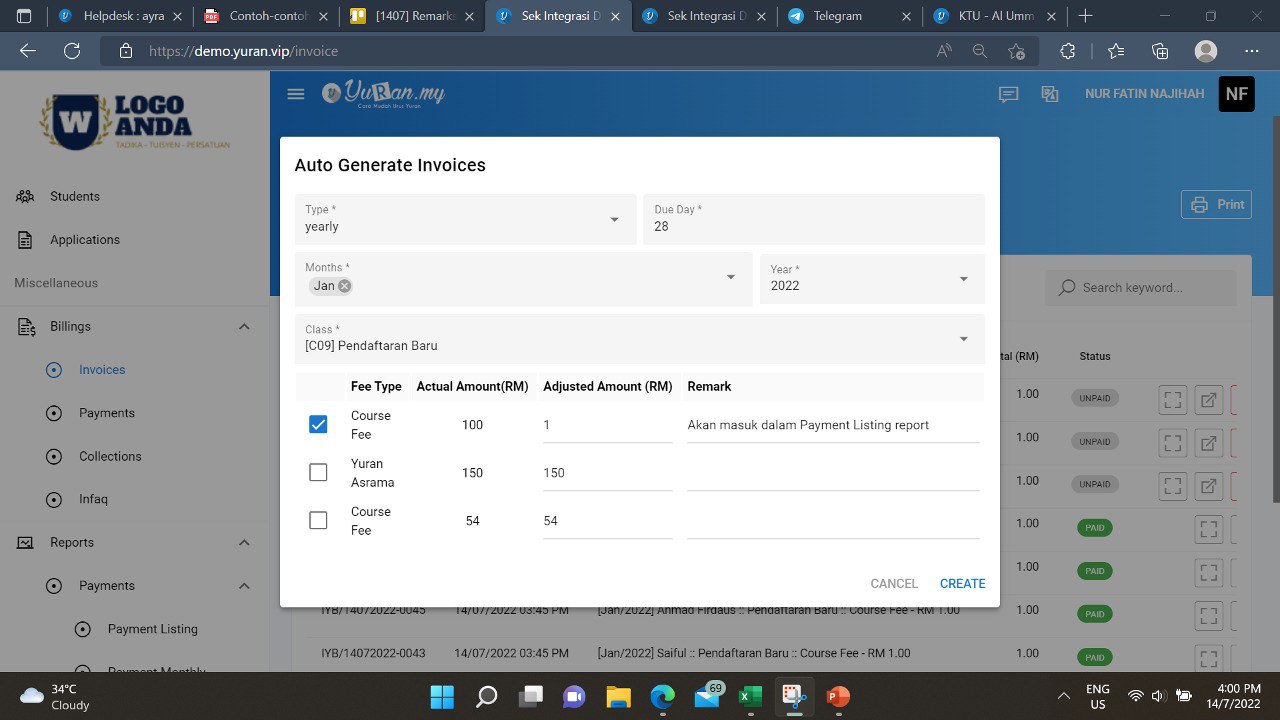
- Auto Generate Invoices form akan dipaparkan apabila user menjana invoice secara auto generate dengan menekan butang Auto Generate Invoice pada Invoices page.
- Terdapat satu Remark field yang terdapat dalam Auto Generare Invoices form.
- Apabila user memasukkan maklumat atau data pada Remark field tersebut, data Remark itu akan dipaparkan pada bahagian Payment Listing Report dan Payment Monthly Report.
Payment Listing Report:
Payment Monthly Report:
4. Remark yang terdapat dalam New Invoice Payment form
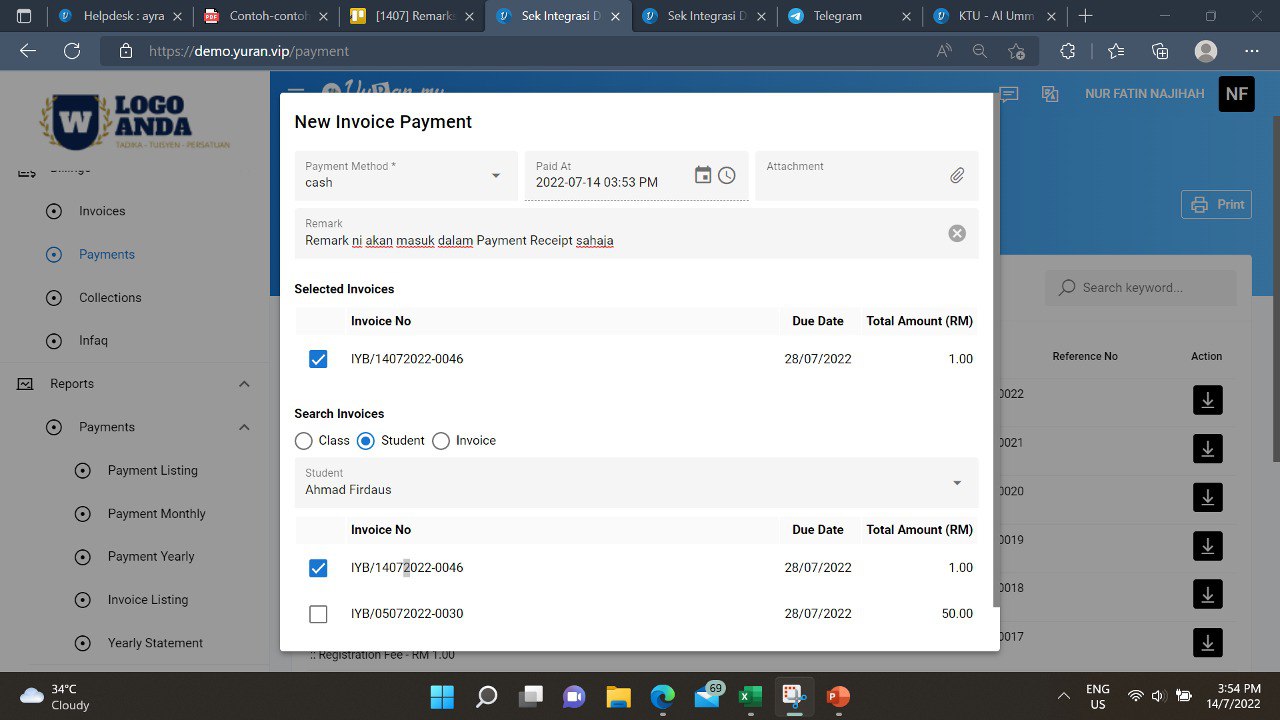
- Remark field dalam New Invoice Payment form ini akan dipaparkan pada Payment receipt sahaja.
Payment Receipt: