

How to add discount fee amount for specific student in class?
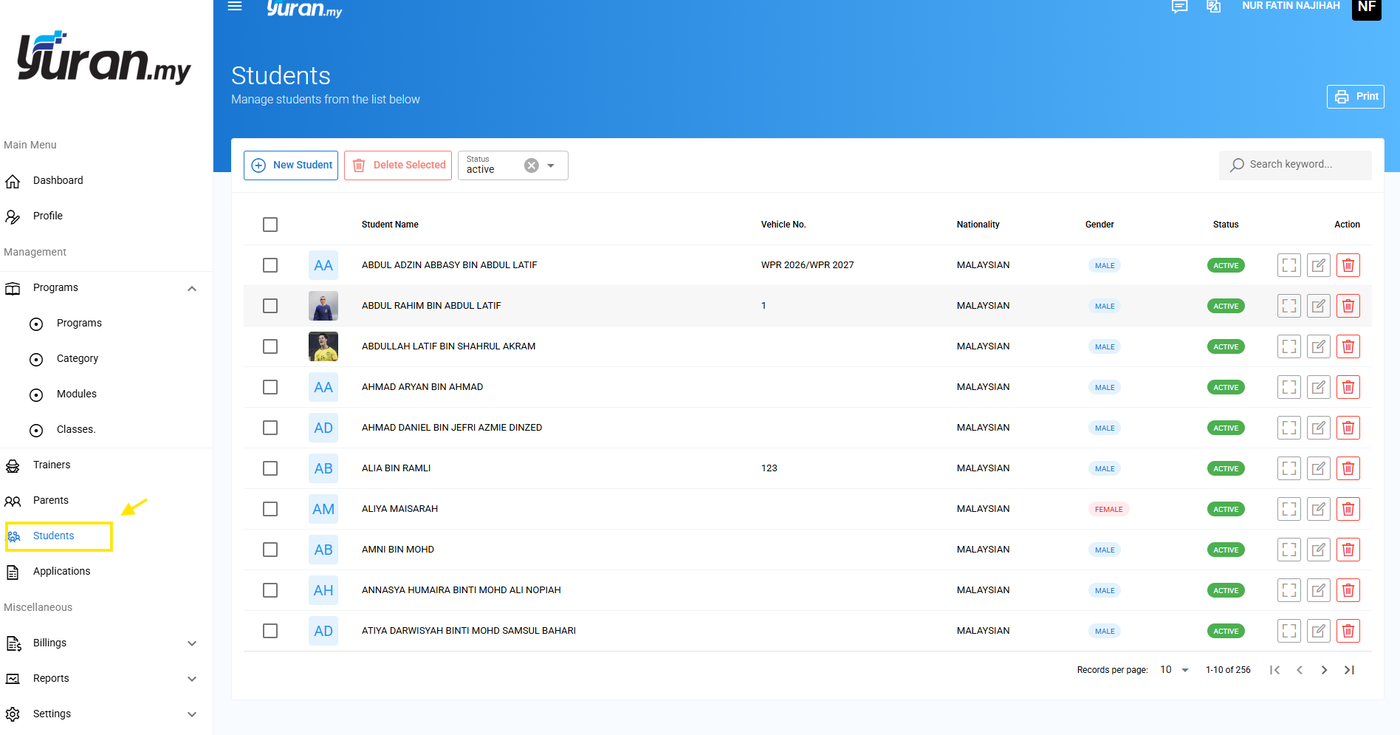
Step 1: Click menu Students/Players.
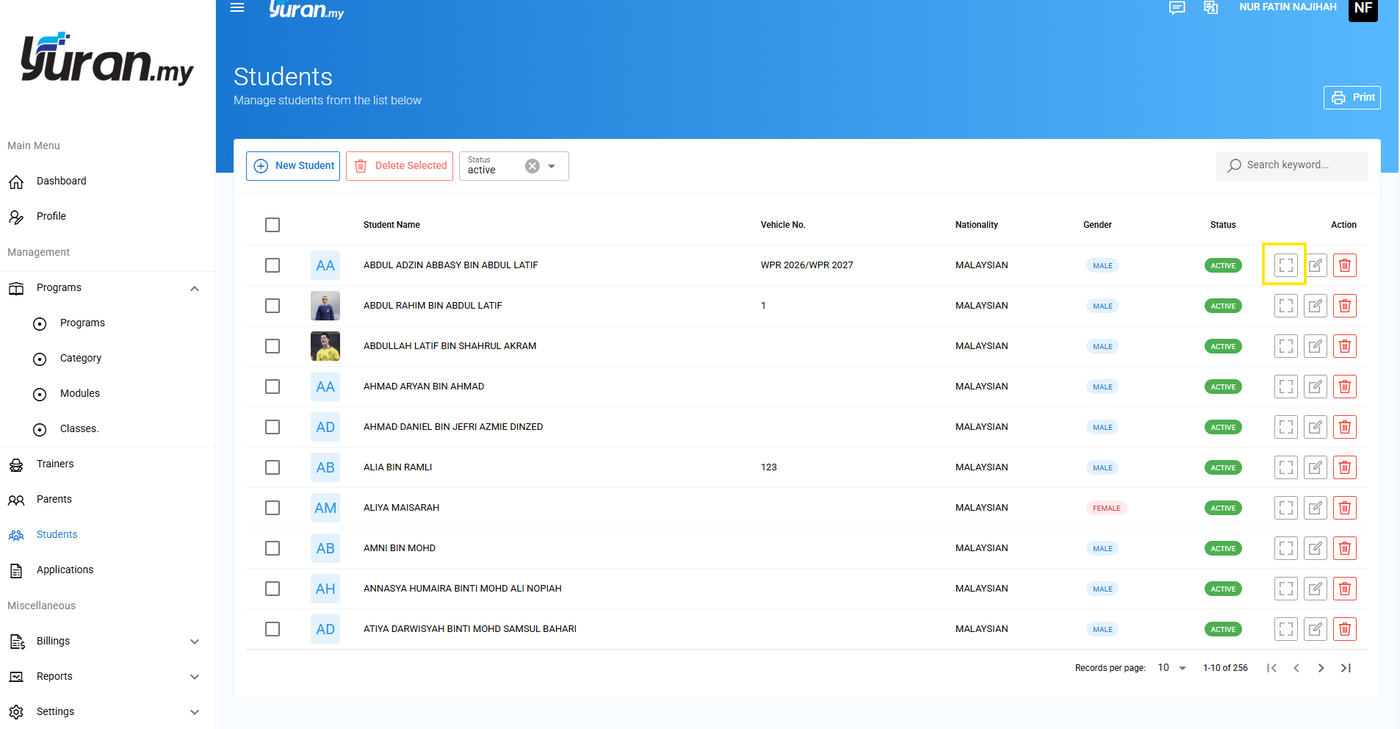
Step 2: Click view icon at the Action section of the student's name.
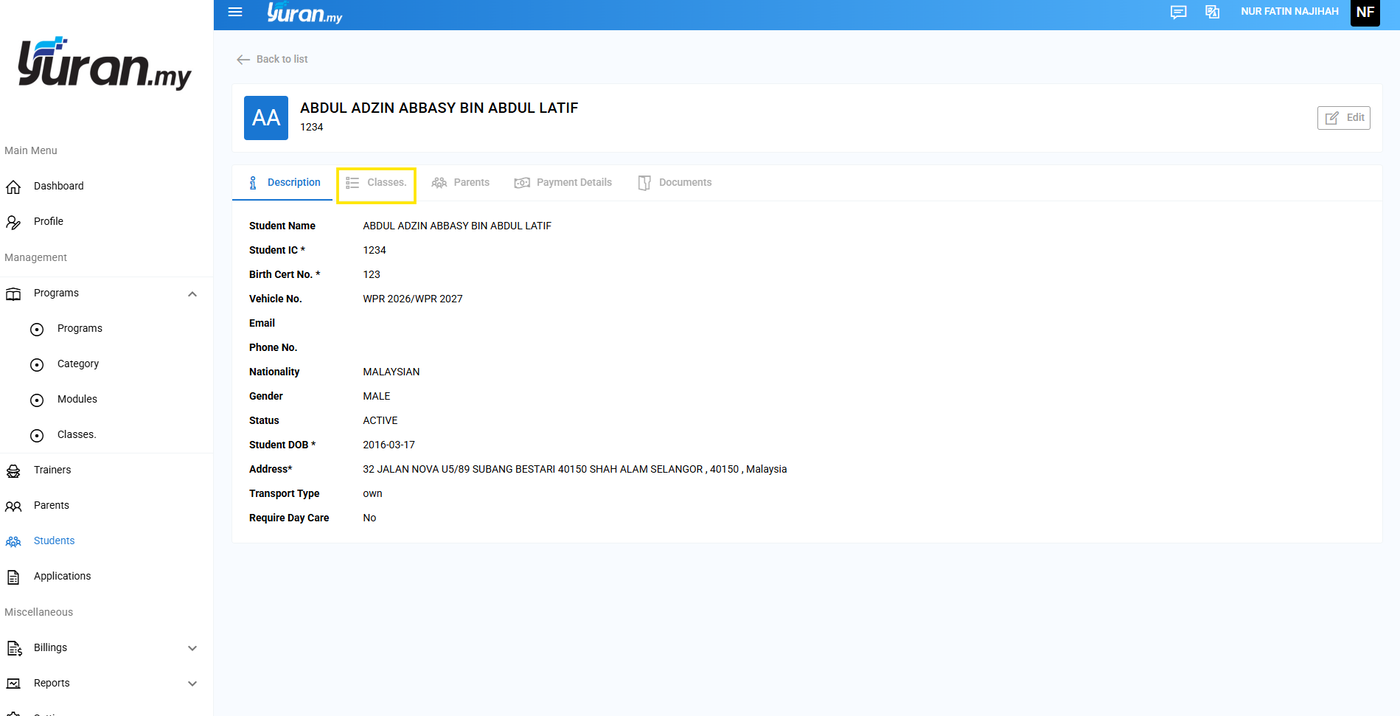
Step 3: Click menu Classes/Events.
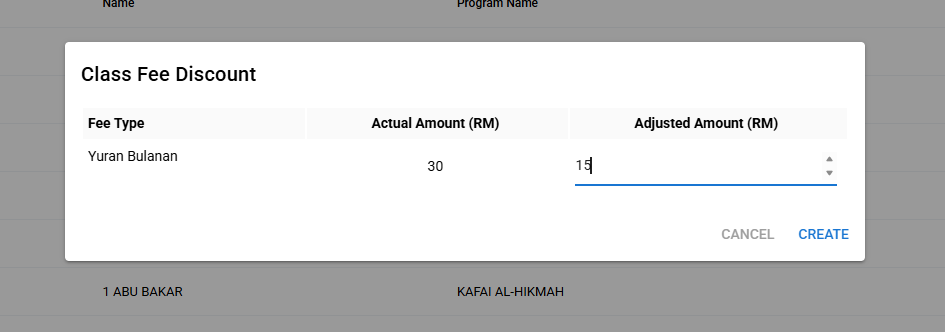
Step 4: Click icon discount for selected class/event.
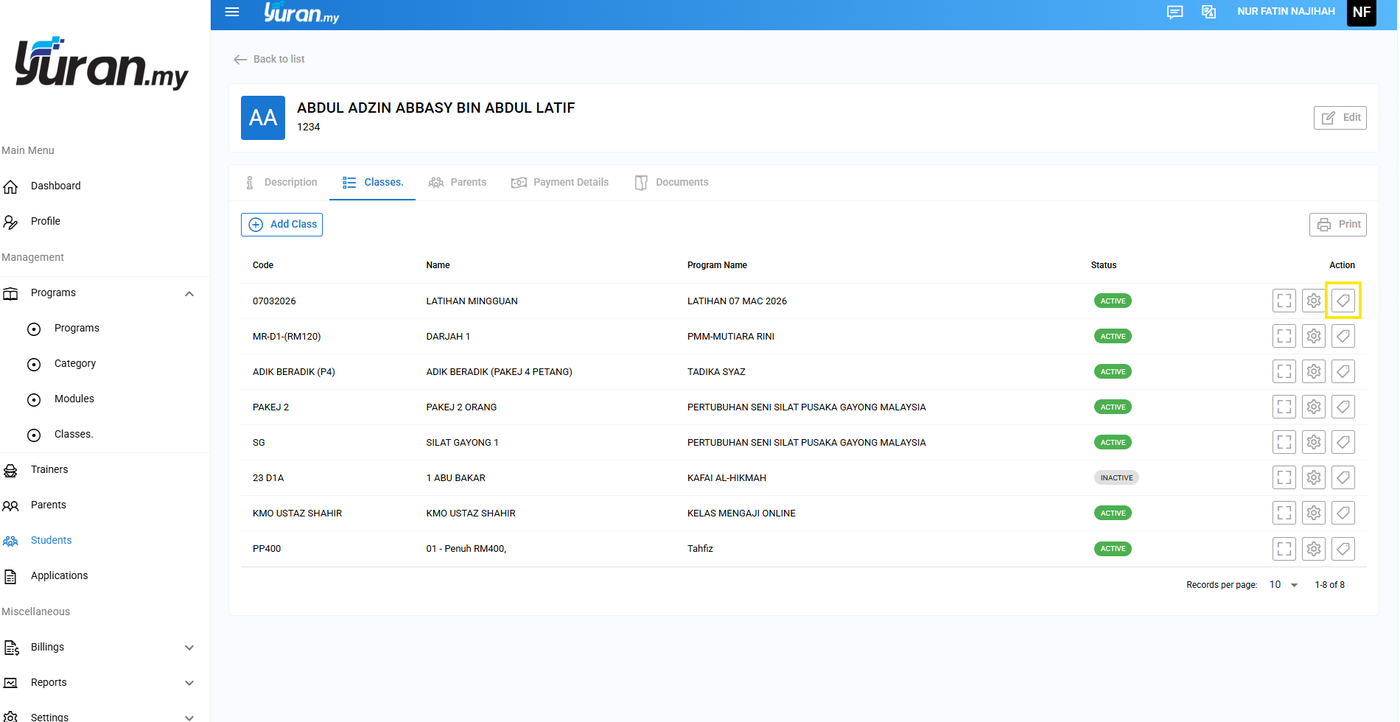
Step 5: Insert the discount amount at the adjusted amount.
Step 6: Create invoice using auto generate or new invoice as usual.
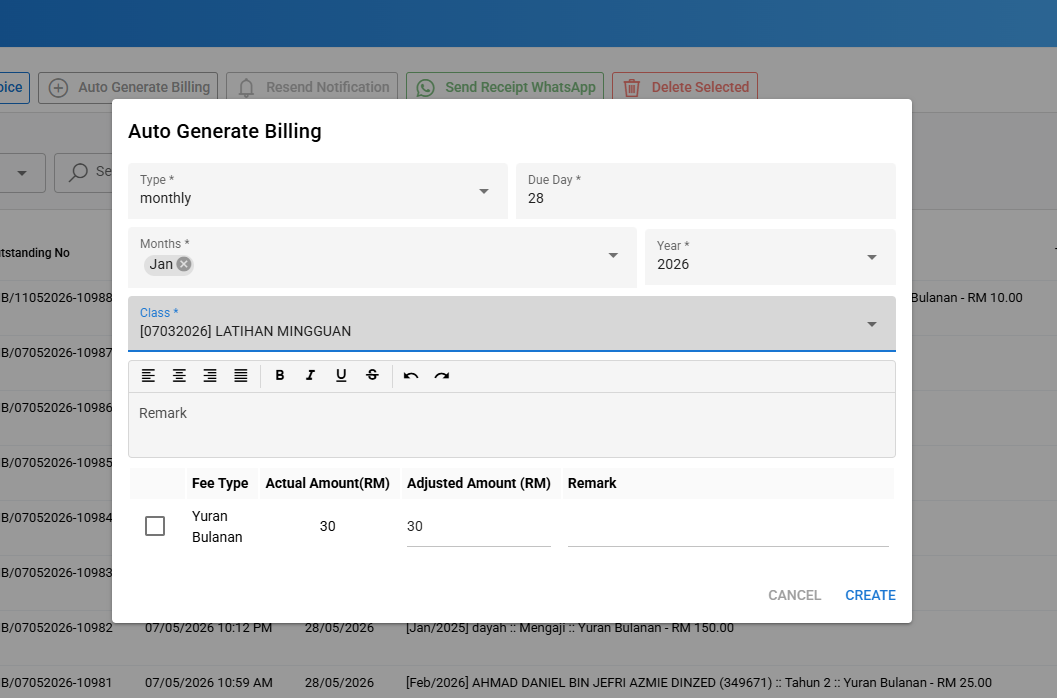
Step 7: Invoice generated based on adjusted amount or discount amount.
